| Linksys WRT54G Wireless-G Router | 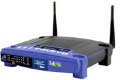
 enlarge enlarge | List Price: $59.99
Buy New: $20.00
You Save: $39.99 (67%)
Buy New/Used/Refurbished from $20.00
Avg. Customer Rating:   (based on 1800 reviews) (based on 1800 reviews)
Sales Rank: 326
Category: CE
Publisher: Linksys
Studio: Linksys
Brand: Linksys
Label: Linksys
Language: English (Original Language)
Platforms: Windows 2000 Server, Windows Xp, Windows Me, Windows Nt 5, Windows Nt 4, Windows Nt 3.5, Windows 2000, Windows 98, Windows Nt, Windows
Media: Electronics
Autographed: 0
Memorabilia: 0
Batteries Included: 0
CPU Manufacturer: Intel
CPU Speed: 2.1
CPU Type: PowerPC G4
Processors: 1
System Memory: 2000
Memory Type: SDRAM
Hard Drive Size: 1
Warranty: 3 years warranty
Shipping Weight (lbs): 3.9
Dimensions (in): 3.8 x 1.1 x 4.4
MPN: WRT54G
Model: WRT54G
UPC: 745883553853
EAN: 0745883553853
ASIN: B00007KDVI
Availability: Usually ships in 1-2 business days
|
| Features:
| • | All-in-one Internet-sharing router, 4-port switch, and Wireless-G (802.11g) access point | | • | Wireless data rates up to 54 Mbps--5 times faster than 802.11b | | • | Shares a single Internet connection and other resources with Ethernet wired and Wireless-G clients | | • | Interoperates with 802.11b clients at 11 Mbps | | • | Advanced wireless security with 128-bit WEP encryption, MAC, or IP address filtering |
|
| Accessories:
|
| Similar Items:
|
| Editorial Reviews:
Product Description
LINKSYS WRT54G - Wireless-G is the emerging 54 Mbps wireless networking standard that's almost five times faster than the widely deployed Wireless-B ( 802.11b ) products found in homes, businesses and public wireless hotspots around the country. The best part is, since they share the same 2.4GHz radio band, Wireless-G devices talk to existing 11 Mbps Wireless-B equipment. Operates as a DHCP Server NAT technology to protect against Internet intruders Supports VPN pass-through Easy configuration with web browser based configuration utility
Amazon.com Product Description
The Linksys Wireless-G broadband router is really three devices in one box. First, it's a wireless access point, which lets you connect Wireless-G or Wireless-B devices to the network. There's also a built-in four-port full-duplex 10/100 switch to connect your wired-Ethernet devices. Connect four PCs directly, or daisy-chain out to more hubs and switches to create as big a network as you need. Finally, the router function ties it all together and lets your whole network share a high-speed cable or DSL Internet connection. To protect your data and privacy, the Wireless-G broadband router can encrypt all wireless transmissions, and it supports the industrial-strength wireless security of 802.1x authentication and authorization. The router can serve as a DHCP server, has NAT technology to protect against Internet intruders, supports VPN pass-through, and can be configured to filter internal users' access to the Internet. Configuration is a snap with the Web browser-based configuration utility. With the Linksys Wireless-G broadband router at the center of your home or office network, you can share a high-speed Internet connection, files, printers, and multiplayer games with the flexibility, speed, and security you need! Wireless-G is the 54 Mbps wireless networking standard that's more than four times faster than the widely deployed Wireless-B (802.11b) products found in homes, businesses, and public wireless hotspots around the country. But since they share the same 2.4 GHz radio band, Wireless-G devices can also interoperate with existing 11 Mbps Wireless-B equipment. Because both standards are built-in, you can protect your investment in existing 802.11b infrastructure, and migrate to the new screaming-fast Wireless-G standard as your needs grow. For more information on the differences between an access point and a router with access point, see the following table:  | 
See a comparison diagram of the different wireless technologies. | Wireless networks are rapidly becoming more popular and coming down in price. Since they don't require cables, you can use the devices anywhere in an office or home, even out on the patio. There's no need to roll out an Ethernet network cable to each room of a house; you can network anywhere--without wires. Outside the home, wireless networking is available in hotspots at coffee shops, businesses, and airports--great when you're on the road and need to get some work done. For convenience, wireless networking is the answer.
Which Wireless Standard Is Right for Me?
Now that you've decided to create a wireless network, the next step is to figure out which wireless standard to use. Basically, a standard is a set of specifications for a device. All devices that follow a specific standard share operating characteristics, such as the radio frequency used and maximum data transfer speed.
For wireless networking, there are three standards to choose from at this time: To learn about the differences between the standards and select the right one for your network, click here for an easy-to-understand chart. |
|
| Customer Reviews: Read 1795 more reviews...
 Not as represeted July 4, 2009 Not as represeted July 4, 2009
These WRT54G routers are highly rated for customization- that's why I bought it- it was advertised as less than ver 5- it wasn't, not a total rip off of though- we can use it at my office- The router is fine- the vendor wasn't
 Cheaper but slow signal July 3, 2009 Cheaper but slow signal July 3, 2009
This product is cheaper but in my experience dont work with good signal, sometimes my laptops loose the signal in small space, maybe are designed to work in very small distance. But i use it in my home and dont work like i wish
 Linksys router June 26, 2009 Linksys router June 26, 2009
This is a very reliable product. No problems with the one I already have and set up was a breeze.
Awesome product great support June 17, 2009
I bought this item because I read reviews that said it works for my fiber in the loop (ifitl) dsl. It is awesome. I have it in my garage thru cement walls in the house and even out to my backyard I have an excellent signal. I did have to use linksys support and got awesome help thru their chat support. I was so glad I never had to call anyone, they diagnosed the issue and mailed me the steps to setup and resetup when I had a problem. I couldnt be happier.
Excellent!!!! June 17, 2009
Excellent product. Great quality for the price. I've owned one for almost a year and never had any trouble with it. The set up was a breeze and it works like a charm. Will recommend to anyone looking for a wireless router.
|
|
|
